01
Choose what you're making
Start with a Carousel, Story, Invitation or Flyer / Poster.
Create carousels, Stories, invitations and flyers from a prompt, text or link. ScrollShots drafts the copy, design direction and visuals - then you edit everything, add video, turn it into a Reel or bring a still image to life.
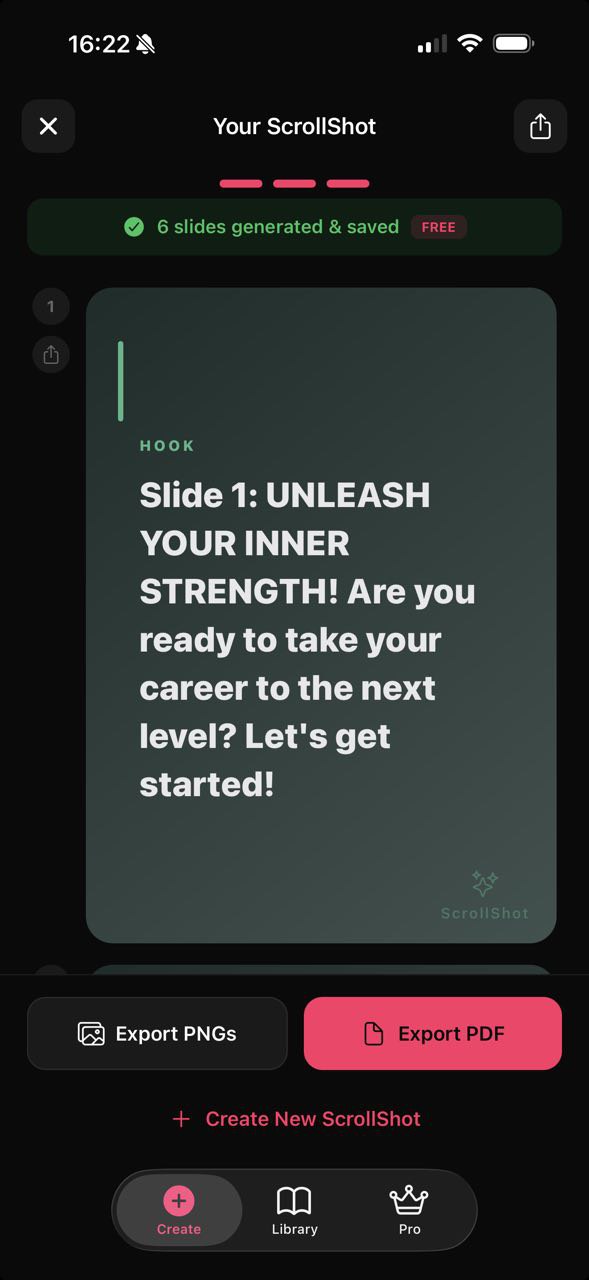
See the difference
You bring the idea. ScrollShots handles the structure, copy and design direction so you can finish it instead of starting from scratch.
How it works
Skip the blank page and template hunt. ScrollShots gets you most of the way there automatically.
Start with a Carousel, Story, Invitation or Flyer / Poster.
Describe your idea, paste your text or start from a link. ScrollShots creates the copy, structure and design direction.
Edit the text, fonts, layout and visuals, add your branding, then export.
Built for creating, not template hunting
ScrollShots helps with the copy, structure, design and visuals - then gives you control over the final result.
ScrollShots suggests a visual based on your content. Keep it, edit the prompt or describe exactly what you want. Your first AI background is free.
Let ScrollShots choose a fitting layout, palette and visual direction - then change any of them yourself.
Change text and fonts, move elements, adjust layouts and palettes, reposition visuals and fine-tune the result before exporting.
Create Carousels and Stories, or generate Invitations and Flyers / Posters with purpose-built layouts and editable AI visuals.
Signed-in creations sync to your account, so you can reopen them later, duplicate a deck or pick up on another device.
Export high-quality PNGs, a single slide as an MP4 video, or a whole carousel as a Reel. PDF export and clean exports without the ScrollShots watermark are part of Pro.
New in ScrollShots 2.0
Add motion where it matters - your own video, a still image brought to life, or a whole carousel turned into a Reel.
Use a clip from your camera roll as a slide background. Pick up to 30 seconds, choose the cover frame, and keep or drop the original sound. Your text and design stay fully editable on top.
Turn a still background into a short AI video - 5 or 8 seconds, with optional generated sound. Choose a style or describe what should happen. AI results vary, so preview before you use it. Uses Motion credits.
Turn a carousel into a vertical video with smooth transitions, ready for Reels, Stories and Shorts. Video backgrounds keep playing, and you choose whether to include their original audio.
Group your creations by client, campaign or event, and find any design again in seconds.
Simple pricing
Bring to Life uses Motion credits: 1 credit for a 5-second video and 2 credits for an 8-second video, with or without generated sound. Pro includes 5 credits every month, on monthly and annual plans. Anyone - Free or Pro - can buy an optional pack of 5 credits in the app; purchased credits don’t expire. Re-using a finished video, exporting MP4s and making Reels never uses credits.
Credits are spent when a generation starts. If a generation fails for a technical reason, the credits are returned - automatically or after a short review. Fair-use limits apply. See the Terms for details.
Ready when you are
Tell ScrollShots what you need and turn the idea into something ready to edit, export and share.